




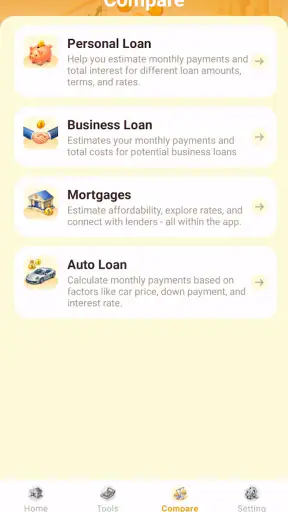
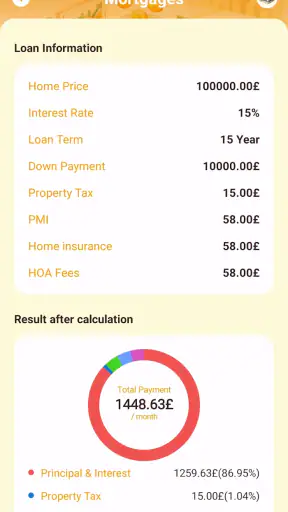
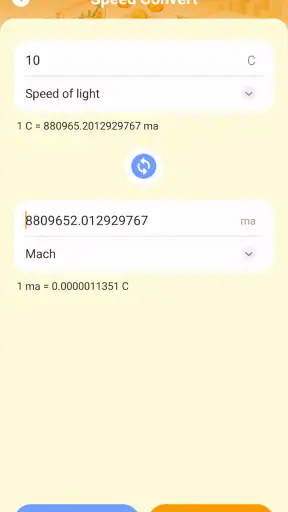
I approached LoanWise Calculator as a small finance utility rather than a full personal-money manager. Its purpose is narrow: help me estimate loan repayments and calculate interest on deposits without turning the process into an account-based banking experience. That focus is useful when I want a quick figure before speaking to a lender, comparing a savings option, or checking whether a proposed payment fits my monthly budget.
The app is developed by Anuoluwapo Product Limited and is available free of charge for everyone. It sits in the finance category, has passed the one-million-install mark, and holds an average rating of three out of five from more than five hundred ratings. Those figures suggest that many people have tried it, but they also tell me to keep my expectations measured: popularity does not make a calculator authoritative, and a middle-of-the-road rating is a reason to check the results carefully rather than accept them automatically.
What I found when using it for everyday money decisions
The most useful way to think about this app is as a first-pass calculator. I would open it when I needed an estimate in a minute or two, not when I wanted a complete borrowing plan with lender-specific rules, account tracking, reminders, or financial advice. That distinction matters because a clean repayment number can look more precise than the assumptions behind it.
For example, imagine I am considering a loan for a household repair. I can enter the amount, the interest information, and the repayment period, then use the resulting estimate to test different terms. A shorter period may raise the regular payment while reducing the time I remain indebted; a longer period may make the payment feel easier but can increase the overall cost. The practical value is not the first answer on the screen. It is the ability to change one input at a time and see which assumption is driving the result.
I found the deposit side useful for a similar reason. Instead of treating a quoted interest rate as an isolated percentage, I can estimate what a deposit might earn over a selected period. That gives me a more concrete comparison between keeping money idle and placing it in an interest-bearing product. I would still check whether the institution uses simple or compound interest, how often interest is credited, and whether fees or taxes affect the final amount. A calculator can support that conversation, but it cannot replace the account’s terms.
The app’s short name and focused purpose work in its favor. I do not have to navigate through budgeting dashboards or investment content before reaching a calculation. For someone who already knows the basic inputs and wants a quick estimate, that restraint is more helpful than a crowded feature set.
Trust starts with the limits of a calculator
When money is involved, I prefer tools that make me aware of what I am actually doing. LoanWise Calculator is easiest to trust when I treat it as a mathematical aid, not as a lender, broker, or source of approval. The result should help me ask better questions: Is the rate fixed? Is it quoted per year or per month? Are there origination charges? Does the lender calculate interest on the original balance or the remaining balance?
Those questions are especially important because two loans can show the same headline rate and still produce different costs. A basic estimate may not reflect insurance, late charges, administrative fees, changing rates, irregular payment schedules, or a lender’s rounding method. I would therefore compare the app’s result with the official repayment schedule before signing anything.
The same caution applies to deposits. If I enter a rate without checking its period, I can produce a convincing but meaningless answer. A rate described as annual should not be entered as though it were monthly. If the deposit renews automatically or pays interest at maturity, the real outcome may differ from a simple estimate. My best practice is to write down the exact wording from the provider first, then enter it deliberately rather than relying on memory.
How I would use it before borrowing
My preferred workflow is to make several scenarios instead of calculating only the amount I hope to borrow. I would begin with the smallest realistic loan, then test the amount I actually need and a slightly higher amount that includes likely incidental costs. Comparing those scenarios helps expose how quickly the regular payment changes.
I would also run the same principal across different repayment periods. This is one of the app’s most practical uses because it turns an abstract term into a household decision. If the shorter option produces a payment that leaves no room for food, transport, rent, or emergencies, the lower total interest may not justify the strain. If the longer option looks comfortable but costs substantially more overall, I would treat that as a warning to reconsider the purchase or save for longer.
A useful habit is to keep a written note beside the calculation containing the rate, term, principal, and any fees mentioned by the lender. That prevents me from later confusing one scenario with another. Since a standalone calculator is not the same as a loan application, I should not assume that it stores a history of my work or that I can recover an earlier result. I would save important figures myself, using a secure method that does not expose sensitive financial details.
There is also a behavioral advantage to this process. I am less likely to choose a loan solely because the advertised periodic payment looks manageable. Seeing the total repayment beside the regular amount encourages me to judge the full commitment. That is a small but meaningful improvement over mental arithmetic or a lender’s promotional example.
Deposit estimates need a different kind of caution
Loan and deposit calculations may appear together in one finance utility, but I use them differently. With a loan, I am testing affordability and total cost. With a deposit, I am testing whether the expected return is worth locking away the money and accepting the provider’s conditions.
Before entering a deposit rate, I would identify the balance used for the calculation, the length of the term, and when the interest is paid. I would then make a second estimate using the amount I expect to keep untouched, rather than the maximum amount I could deposit. That produces a more realistic picture of the money I can actually commit.
One non-obvious trade-off is liquidity. A deposit estimate can make an offer look attractive while hiding the value of access to cash. If withdrawing early causes a penalty or forfeits interest, the best-looking projected return may not be the best choice for an emergency fund. I would use the app to compare returns, but I would keep money needed for near-term bills separate from money intended for a fixed-term product.
I would also avoid treating the displayed result as a promise. The app can calculate from the figures I provide; it cannot verify whether a provider will change the rate, apply a different compounding schedule, or deduct charges. The safest workflow is to use the estimate as a screening tool, then confirm the final amount in the deposit agreement.
Privacy and control at the moments that matter
My trust assessment is deliberately practical. A finance calculator does not need to know my identity for me to calculate a hypothetical loan, so I would avoid entering names, account numbers, card details, passwords, or lender credentials. I would use rounded or fictional values while comparing options and reserve exact personal figures for a private calculation only when necessary.
I would pay attention to every visible prompt during installation and use, especially requests that seem unrelated to calculating repayments or interest. I would not grant access simply because an app is in the finance category. If the operating system presents a permission choice, I would read it and decline anything unnecessary for the task. I would also review the app’s privacy information in the store and device settings before using it for sensitive scenarios.
That approach is not an accusation against the developer. It is a sensible boundary for any financial tool. The developer is Anuoluwapo Product Limited, while the responsibility for protecting my personal information still includes choosing what I type, what I permit, and what I save. A calculator is most comfortable to use when I keep it separate from my banking credentials and personal documents.
There is a second privacy issue that is easy to overlook: screenshots and copied results. A repayment estimate can reveal the size of a planned loan or the amount of savings I hold. I would avoid sharing screenshots that include personal notes, and I would remove old calculations from any place where other people can see them. Even when the numbers are not account credentials, they can still be financially sensitive.
Where the app fits beside other options
Compared with mental arithmetic, a dedicated calculator is clearly more useful for testing several combinations of amount, rate, and term. Compared with a spreadsheet, however, it is probably better suited to quick checks than to long-term scenario planning. A spreadsheet lets me label assumptions, keep a history, add fees, and compare many offers in one view. If I am evaluating several lenders or building a household budget, I would prefer that flexibility.
A lender’s own repayment estimator may be better when I need the institution’s exact method, especially if it includes fees, variable rates, or a formal amortization schedule. The trade-off is that a lender’s tool naturally presents that lender’s product, whereas a separate utility is more convenient for neutral side-by-side thinking. I would use LoanWise Calculator early in the process, then move to official documents before making a commitment.
It also differs from a full budgeting app. Budgeting software can show recurring expenses, cash flow, and savings goals, while this app is more focused on individual calculations. Someone who wants to monitor spending every day may find it too limited. Someone who only needs a quick answer before a financial conversation may appreciate not having to build an entire budget first.
Small frictions that affect the experience
The narrow scope is both the main strength and the main limitation. I can get value from it without learning a complicated system, but I should not expect it to guide me through the broader decision. The app does not turn an estimate into a recommendation, and I remain responsible for checking the inputs and interpreting the result.
Another source of friction is the risk of false precision. A result with several decimal places can appear exact even when the rate, compounding method, or fees are uncertain. I would round the answer to a sensible amount when discussing affordability and keep the detailed figure only for comparison. The important question is usually whether a payment is comfortably affordable, not whether it differs by a tiny fraction.
I would also be careful when switching between loan and deposit calculations. The same percentage can mean different things depending on the product and period, so I would clear or recheck every field before trusting a new result. This is a simple habit, but it prevents an old value from silently shaping a new estimate.
The current release is version 1.8.0.0 and supports devices running Android nine or later. That makes compatibility straightforward for many Android users, but I would still check the app’s behavior on my particular phone before relying on it during an important financial meeting. A calculator that works well for casual estimates is not something I would make the sole record of a major borrowing decision.
Who should use it, and who should choose something else
I would recommend it to a student comparing repayment periods, a household planning a repair, a saver checking the rough return on a deposit, or anyone preparing questions for a bank or credit provider. It is particularly suitable for people who want a free, focused utility and are comfortable verifying the final terms themselves.
I would skip it as my primary tool if I needed a complete debt plan, automatic expense tracking, lender-specific amortization, tax treatment, or a secure connection to financial accounts. In those situations, a spreadsheet, budgeting platform, or official provider calculator would be a better match. I would also avoid making a major decision from one result without checking the contract, because the app’s usefulness depends heavily on the quality of the inputs.
The everyone age rating makes it approachable, but younger users should still involve a trusted adult before borrowing or committing savings. Accessibility of the calculator does not make the financial decision simple. A clear estimate can help someone understand a proposal, yet it should lead to more questions rather than pressure to accept an offer.
My cautious verdict
LoanWise Calculator earns its place as a practical first-pass finance app. I like the direct purpose, the free access, and the way a focused calculator can turn vague loan or deposit questions into numbers I can compare. Its strongest benefit is not that it predicts a final financial outcome; it is that it gives me a structured starting point for thinking about affordability, total cost, and expected interest.
I would use it with a privacy-conscious routine: enter only the figures needed, avoid credentials and identifying details, inspect any permission request, record important assumptions separately, and confirm the result against official terms. That approach preserves user control and keeps a quick estimate from becoming an accidental substitute for proper financial checking.
My final view is therefore positive but restrained. The app is worth trying if I need a simple loan EMI or deposit-interest estimate, and its one-million-plus installs show that it has reached a substantial audience. The three-out-of-five average also reminds me not to treat it as flawless. Use it to compare possibilities, not to outsource judgment. For a quick calculation before a real conversation, it is a sensible companion; for detailed financial planning, I would pair it with a spreadsheet or the provider’s official documentation.


